Every job, on one screen.

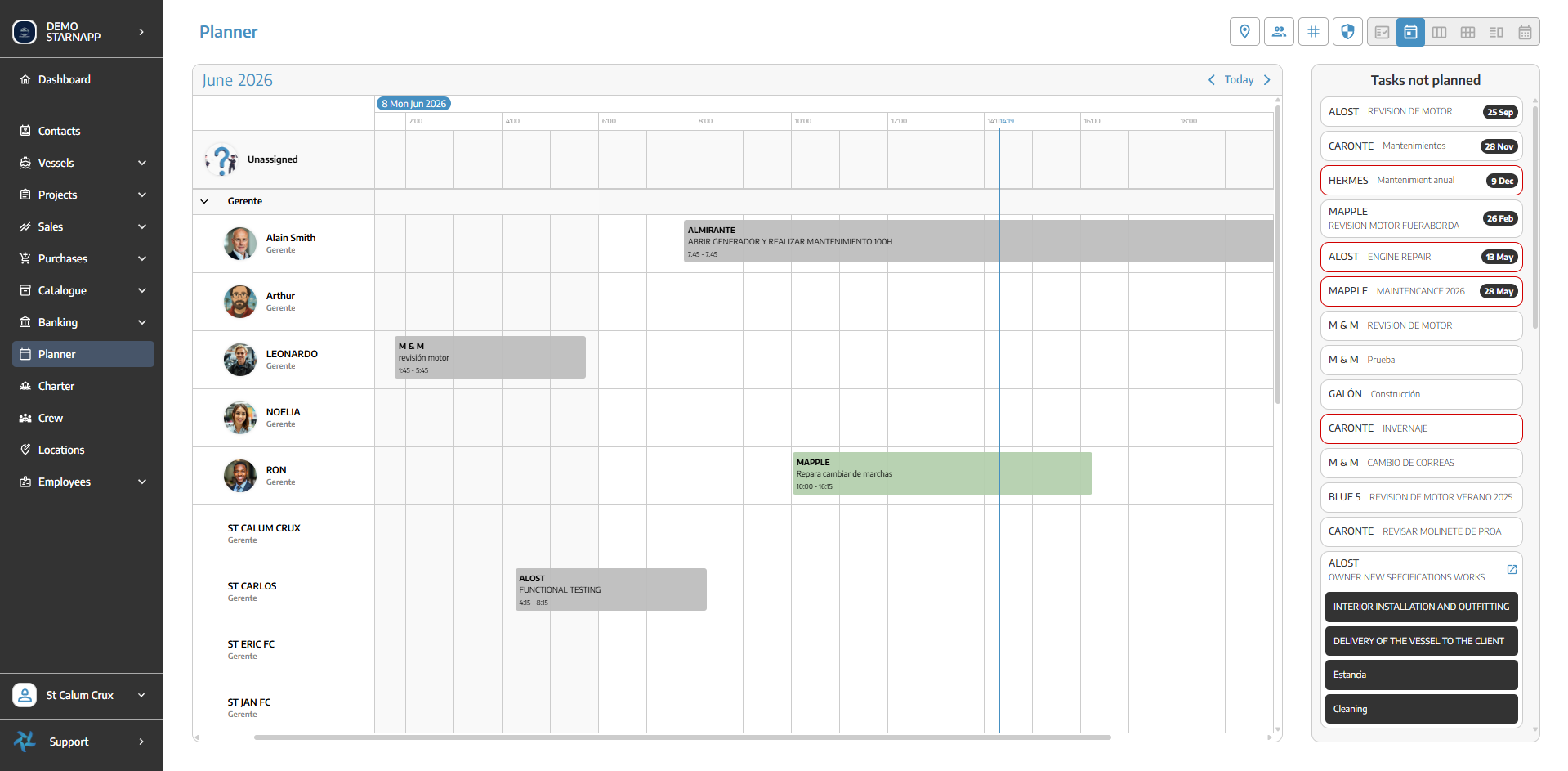
Plan jobs in real time and keep your technical team informed with notifications in their mobile app. Organise everyone on a single visual timeline and drag to reschedule, with no time overlaps between different jobs.
Seconds
to schedule or reschedule a job
Instant
notification in the technician's mobile app
1
view to organise your whole technical team
StarNapp visual planner showing scheduled jobs across technicians on a timeline
Technician notified
Instant alert in their mobile app
The Problem

A whiteboard can't tell you what next week looks like.

Most yards plan in someone's head, on a wall, or in a spreadsheet that's out of date by Tuesday.

Before StarNapp
  • ✕The schedule lives on a whiteboard or in one person's head
  • ✕Nobody knows real capacity until the week has started
  • ✕Two technicians get sent to the same job
  • ✕One delayed haul-out quietly pushes everything behind it
  • ✕Rescheduling means phone calls and rubbing things out
→
With StarNapp
  • ✓One visual timeline the whole team can see
  • ✓Capacity and workload visible before you commit
  • ✓Every technician's day assigned and conflict-free
  • ✓Change one job and the ones behind it re-flow
  • ✓Drag a job to a new slot and everyone sees it
One Timeline

Know exactly what's happening, right now.

Every active job, every resource and every deadline in one place — so you can answer "when can you take my boat?" without checking with three people first.

  • ✓Drag-and-drop scheduling across technicians and bays.
  • ✓Resource allocation and workload at a glance.
  • ✓Spot bottlenecks before they turn into delays.
  • ✓Timeline view across every active job in the yard.
Boatyard hardstand with yachts on cradles and a travel lift, seen early morning
In Practice

Reschedule in seconds, not phone calls.

A job slips, a part lands late, a technician calls in sick. Drag the job to a new slot and everything downstream updates — for the office, the workshop and the owner, at the same moment.

✓The whole yard's week on one screen
✓Move a job and the timeline re-flows
✓Assign by technician, bay or shipyard
✓Everyone sees the change immediately
Built For Every Yard

One plan the whole team is working from.

Office, workshop and dock looking at the same timeline — whichever kind of marine business you run.

Questions we get asked.

Can I see our real capacity before promising a delivery date?

Yes. The timeline shows committed work against available technicians and bays, so you can see what a new job would displace before you agree to it.

Can jobs be assigned to specific technicians or bays?

Yes. Assign by person, team, bay or shipyard. The technician is notified straight away, and the planner warns you if two different jobs overlap in time.

Does the planner update when a work order changes?

It's the same record. A work order created or rescheduled anywhere in StarNapp appears on the timeline immediately — there is no second system to keep in sync.

Can we plan across more than one yard?

Yes. Multi-yard businesses can plan each site separately or view them together, with roles controlling who sees which locations.

Can technicians see their own schedule on a phone?

Yes. The mobile app shows each technician the jobs assigned to them, in order, with the vessel and the task detail attached.

Does it handle seasonal work like winterisation?

Yes. Recurring and seasonal jobs can be templated and planned ahead, so the same haul-out or winterisation round doesn't have to be rebuilt every year.

See your yard's week on one screen.

Twenty minutes, your boats, your jobs. No slides.